
Warlord: Awaji System Requirements
Minimum and recommended Steam specs, plus why large battles stress CPU and GPU together.
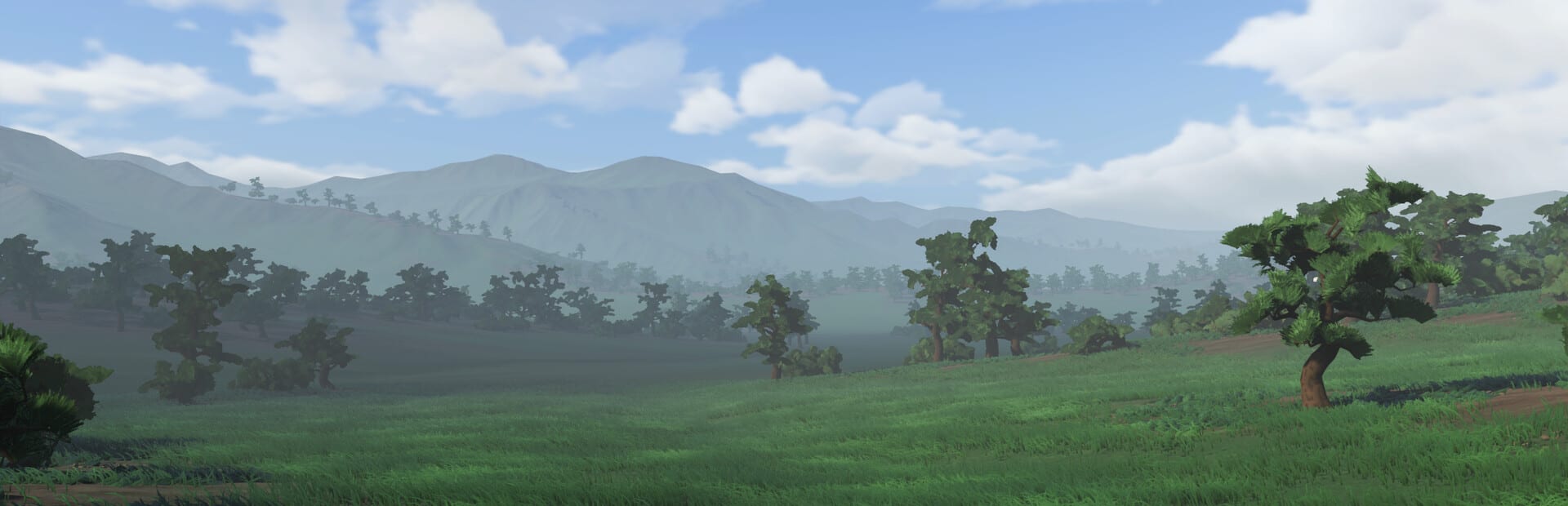
Warlord: Awaji is a first-person army on a heightmap of Awaji Island, not a light action game that happens to include a spear. Darkmatter Games launched it on Steam on 9 September 2026 as a complete single-player campaign. The store spec is modest on disk and strict in a crowd: 6 GB of space, a GTX 2060 at minimum, an RTX 3070 recommended, and Steam Deck unsupported. This page is the live sheet, plus why combat and camp building are the two systems that actually bill your CPU and GPU.
Confirm the numbers on the Steam store if a later patch edits the page. Until then, treat the tables below as the launch spec. The tools hub is the settings map; this article is the hardware list.
Minimum and recommended
Both columns require a 64-bit processor and operating system. There is no 32-bit build.
| Setting | Minimum | Recommended |
|---|---|---|
| OS | Windows 10 64-bit | Windows 11 64-bit |
| Processor | Intel i5 9th Gen | Intel i7 11th Gen |
| Memory | 16 GB RAM | 32 GB RAM |
| Graphics | NVIDIA GeForce GTX 2060 | NVIDIA GeForce RTX 3070 |
| Storage | 6 GB available space | 6 GB available space |
Steam Deck compatibility is listed as unsupported. Do not plan a handheld campaign around an unofficial tweak.
The campaign price sits around $24.99 with a short introductory -10% cut. A soundtrack DLC exists on Steam. Neither one is why you need 32 GB of RAM.
Why 6 GB is not the hard part
Six gigabytes is a small modern install. The expensive part is runtime: named AI retainers, drag-and-drop formations, horses, bows with five arrow types, and physics that already needed a Demo 2.0 pass for large battles. The homestead tutorial from getting started will boot on machines that later choke when two retinues close around a shrine.
Grade the box on a real fight, not on the main menu. Patch vR101 moved you closer to the nearby homestead and stopped the pause menu from leaking time. Those fixes do not lower the GPU bill. They only stop you from blaming a tutorial string for a hitch that appears an hour later.
CPU load is battle plus AI
You stand in the melee, and every retainer thinks in the same space. That is why the minimum CPU is a 9th-generation i5 and the recommended CPU is an 11th-generation i7.
Combat is the obvious half. Targeting, block, thrust, stamina, and crowd collision all tick while you look at one person. A panic-slash in a blob looks like a frame drop because the pile is doing the same math you are. Polearms, broken shafts, and horse bodies add more contacts. If the hitch starts the moment both front lines touch, you are watching CPU physics, not a missing texture.
Camp building is the quiet half. Tents, food, fences, night guards, and packing a camp keep pathfinding alive while you read a formation menu. Overbuilding in the tutorial was common enough that vR101 added starting resources; it did not add free CPU. A camp you refuse to move is a second battle simulation sitting behind you. Pack it when the front moves. Do not ask 16 GB and a 2060 to simulate a village plus a shrine fight.
Army and formations is where those two loads meet. Melee, bows, and cavalry in one drag-and-drop menu is the recommended-spec conversation. A sword-only retinue is cheaper. A mixed retinue is the game Darkmatter shipped. Read bow and cavalry before you add horses and five arrow types to a machine that already stutters in a homestead yard.
GPU load is the same fight from the other side
The GTX 2060 minimum and RTX 3070 recommended exist because you see the pile in first person: armor, foliage, bamboo, interiors, and the mansion-scale buildings Demo 2.0 previewed. Highlights and radar are cheap compared with a full oyoroi crowd. Turn friend-or-foe silhouettes on for readability; they are not why a 1060-class card fails. Launch minimum is a 2060.
If you have to cut settings, cut extras that do not change whether a thrust lands: foliage density, extra camp clutter, and overlays. Keep radar and highlights until you can read sashimono. Then test a shrine fight from conquest, where warriors, monks, and convoys stack. 32 GB of RAM is headroom for that stack. 16 GB is the floor.
Practical checks before you refund
- Confirm Windows is 64-bit and the GPU driver is current.
- Apply vR101 so pause time and tutorial soft locks are not in the report.
- Run the nearby homestead once to verify the install, then a mixed fight with bows or horses.
- Watch whether the hitch tracks the crowd (CPU and physics) or the view distance (GPU).
- If the machine is under the table, stop adding cavalry. If it is on recommended and still fails, check thermals and overlays before you blame the island.
Steam Cloud and 57 achievements do not change spec. Official hardware claims still belong to Steam, with extra context from Discord and darkmattergames.com. Until the store table moves, treat large battles as a physics-and-AI bill and treat Steam Deck as unsupported.
Frequently Asked Questions
Quick answers for new warlords landing on Awaji.
What are the Warlord: Awaji minimum specs?
Windows 10 64-bit, Intel i5 9th Gen, 16 GB RAM, GeForce GTX 2060, and 6 GB of storage. Steam Deck is unsupported.
What are the recommended specs?
Windows 11 64-bit, Intel i7 11th Gen, 32 GB RAM, GeForce RTX 3070, and the same 6 GB of storage.
Why link combat and camp on a spec page?
CPU and GPU load is the melee you stand in plus the AI camp and retinue thinking behind you. See combat and camp building.
Will a later patch lower the spec?
vR101 did not. Demo 2.0 already spent effort on large-battle physics. Watch Steam news and the updates hub rather than assuming a 1060 became legal.
Does the soundtrack DLC change storage?
Not in any way that should move you off the 6 GB campaign line. Confirm bundles on the Steam store page.